Interval Controller
By Georgii Kaliaev • Others • ID: interval-controller
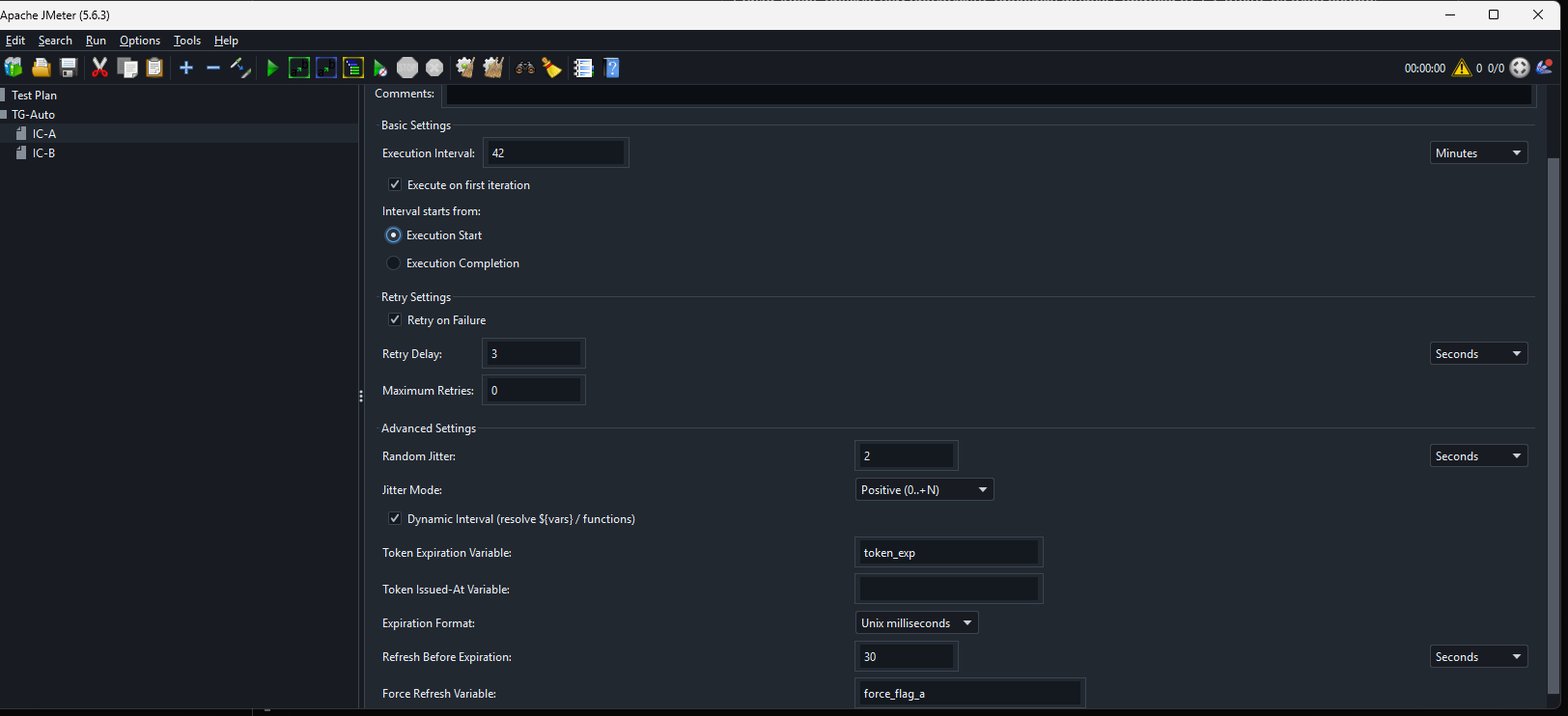
Logic Controller that executes nested elements at most once per configured interval per JMeter thread, only when the thread encounters the controller. Supports optional retry-on-failure, jitter, dynamic interval expressions, and token refresh helpers. SKIP does not sleep or block sibling samplers. Not a Timer and not a background scheduler.
Install via JMeter Plugins Manager CLI
Open in CLI Builder →PluginsManagerCMD.sh install interval-controllerWindows: PluginsManagerCMD.bat install interval-controller
Total Downloads
13
Downloads This Week
+11
Usage History
Weekly Download Intensity
4 weeks of data • Least active weeks ≤ 2 · Peak weeks up to 13
Component Classes
Release History (1)
- v1.1.2 Latest
Stable release: interval EXECUTE/SKIP per thread, retry, jitter, dynamic interval, token TTL helpers, nested controller compatibility. Target JMeter 5.6.3, Java 8 bytecode.
Frequently Asked Questions
How do I install Interval Controller in JMeter?
Install Interval Controller via the JMeter Plugins Manager GUI (Options > Plugins Manager, search "Interval Controller"), or from the command line using PluginsManagerCMD.sh install interval-controller (PluginsManagerCMD.bat install interval-controller on Windows).
Is Interval Controller free and open source?
Yes, Interval Controller is free to install and use via the official JMeter Plugins registry.
Which Apache JMeter versions support Interval Controller?
Interval Controller is compatible with modern Apache JMeter 5.x releases via the JMeter Plugins Manager. Check the repository for version-specific notes.
Is Interval Controller still actively maintained?
Interval Controller is indexed in the official JMeter Plugins registry. Check the linked repository for the latest commit and release history.
Who maintains Interval Controller?
Interval Controller (plugin ID: interval-controller) is maintained by Georgii Kaliaev.
Embed on GitHub
Are you the author? Show off your plugin's listing on PerfAtlas by pasting this markdown badge in your README.md.