A live JMeter listener plugin for capturing browser rendering metrics via Chrome DevTools Protocol. Features include Core Web Vitals (LCP, FCP, CLS, TTFB), Network & Console capture, Composite Performance Score, SLA Threshold Highlighting, Improvement Area Detection, Filter by Start/End Offset & Transaction Names with RegEx support, CLI Headless Mode, Chart Interval Control, HTML Performance Report, and Excel Export — with minimal impact on JMeter thread performance.
JAAR — JTL AI Analysis & Reporting
By Sagar Aggarwal • Listeners • ID: io.github.sagaraggarwal86-configurable-aggregate-report
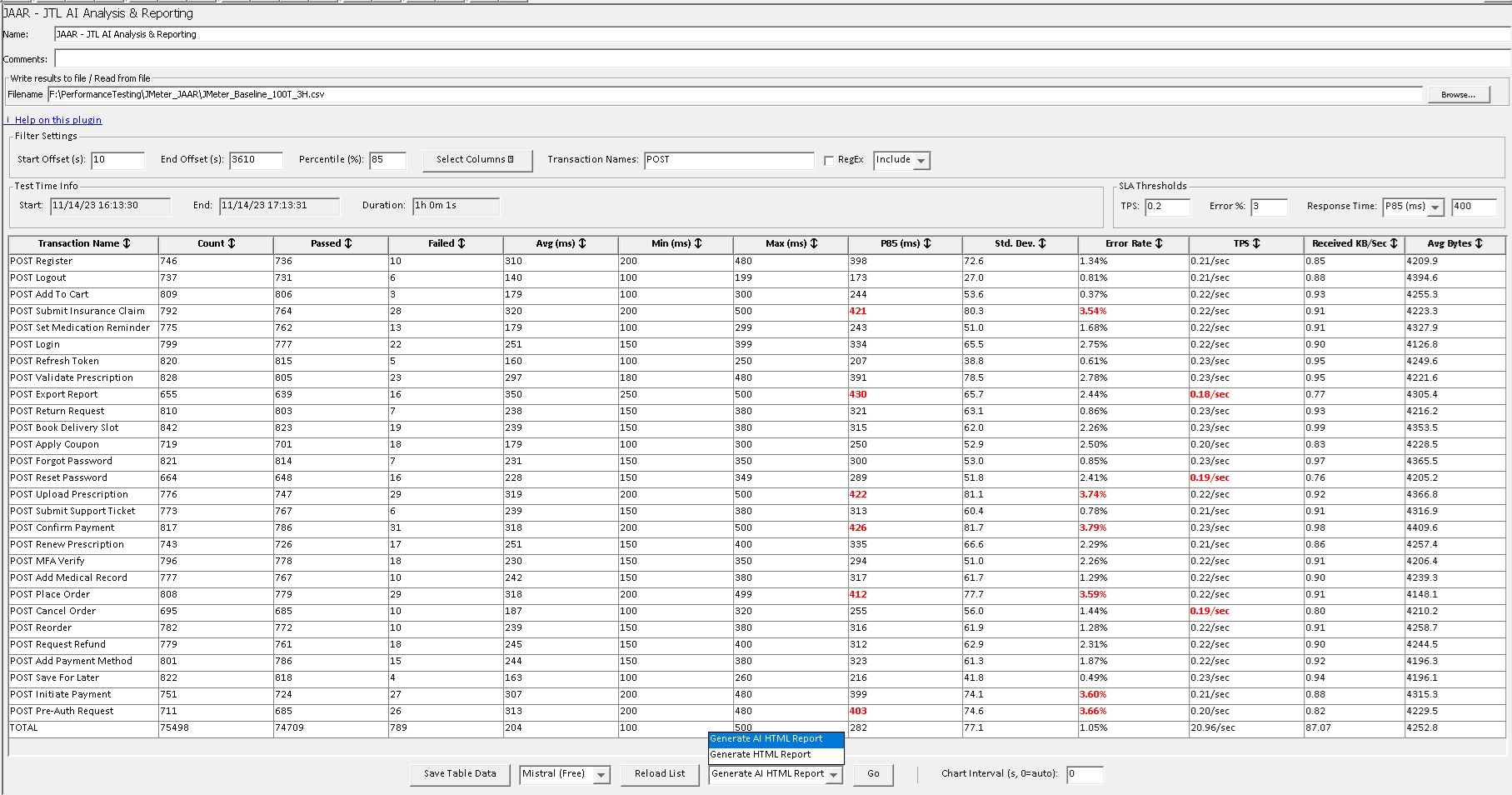
A file-based Apache JMeter listener plugin for post-test JTL analysis. Provides a filterable aggregate table with features like Filter Results using Start/End Offset & Transaction Names with RegEx support, Dynamic Percentile & Table Columns, SLA Threshold Highlighting (Error %, Response Time & TPS), CLI Headless Mode, Chart Interval Control, AI-Analyzed HTML Performance Report, Data-Only HTML Report (no AI required), Export Report in Excel & PDF Format, Performance Charts, Dark Mode — with zero runtime overhead.
Install via JMeter Plugins Manager CLI
Open in CLI Builder →PluginsManagerCMD.sh install io.github.sagaraggarwal86-configurable-aggregate-reportWindows: PluginsManagerCMD.bat install io.github.sagaraggarwal86-configurable-aggregate-report
Total Downloads
152
Downloads This Week
+22
JMeter Compatibility
5.6+
GitHub Repo Health
Score & Status
69/100 (Maintained)
Stars & License
★ 4 • Apache-2.0
Last Commit
Nov 2026
Last Release
Apr 2026

Usage History
Weekly Download Intensity
38 weeks of data • Least active weeks ≤ 70 · Peak weeks up to 152
Component Classes
Release History (3)
- v6.0.0 Latest
TPS SLA threshold, data-only HTML report (no AI required), performance charts with configurable interval, Excel & PDF export, dark mode, pagination & search in HTML report transaction metrics, CLI fallback to data-only report on AI failure
- v5.5.0
performance improvement on listener gui and prompt for report generation
- v5.0.1
fixed marker class and component class, removed old deprecated versions and kept only relevant meaningful version
Frequently Asked Questions
How do I install JAAR — JTL AI Analysis & Reporting in JMeter?
Install JAAR — JTL AI Analysis & Reporting via the JMeter Plugins Manager GUI (Options > Plugins Manager, search "JAAR — JTL AI Analysis & Reporting"), or from the command line using PluginsManagerCMD.sh install io.github.sagaraggarwal86-configurable-aggregate-report (PluginsManagerCMD.bat install io.github.sagaraggarwal86-configurable-aggregate-report on Windows).
Is JAAR — JTL AI Analysis & Reporting free and open source?
Yes, JAAR — JTL AI Analysis & Reporting is free to use and distributed under the Apache-2.0 license via the official JMeter Plugins registry.
Which Apache JMeter versions support JAAR — JTL AI Analysis & Reporting?
JAAR — JTL AI Analysis & Reporting declares compatibility with Apache JMeter 5.6.3 and later.
Is JAAR — JTL AI Analysis & Reporting still actively maintained?
JAAR — JTL AI Analysis & Reporting currently has a PerfAtlas repository health score of 69/100 (Maintained), with its last recorded GitHub commit on Nov 26, 2026.
Who maintains JAAR — JTL AI Analysis & Reporting?
JAAR — JTL AI Analysis & Reporting (plugin ID: io.github.sagaraggarwal86-configurable-aggregate-report) is maintained by Sagar Aggarwal.
Looking for alternatives to JAAR — JTL AI Analysis & Reporting?
Compare 6 other JMeter listeners plugins side by side.
Embed on GitHub
Are you the author? Show off your plugin's listing on PerfAtlas by pasting this markdown badge in your README.md.