jmeter-core
Core functionality for JMeter, including GUI and engine.
39,092
+3,259 Listeners
By JMeter Core Team • Samplers • ID: jmeter-native
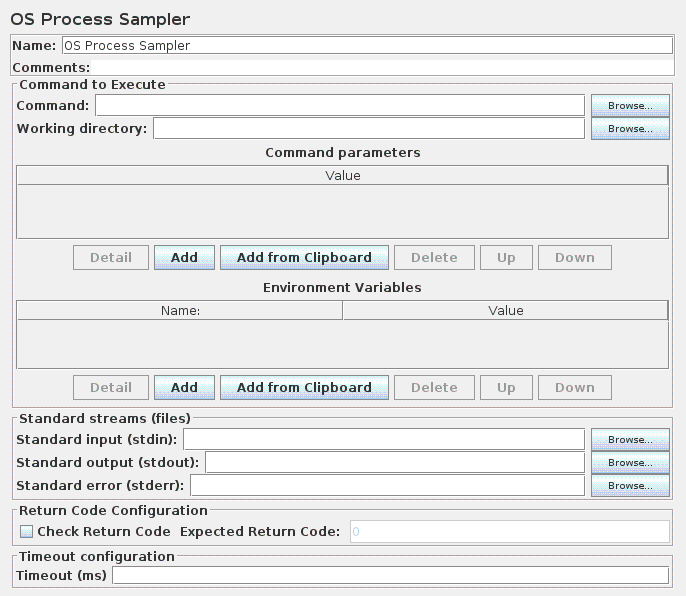
The OS Process Sampler is a sampler that can be used to execute commands on the local machine.
PluginsManagerCMD.sh install jmeter-nativeWindows: PluginsManagerCMD.bat install jmeter-native
39,042
+3,263
552 weeks of data • Least active weeks ≤ 28,877 · Peak weeks up to 74,186
Install jmeter - OS Process Support via the JMeter Plugins Manager GUI (Options > Plugins Manager, search "jmeter - OS Process Support"), or from the command line using PluginsManagerCMD.sh install jmeter-native (PluginsManagerCMD.bat install jmeter-native on Windows).
Yes, jmeter - OS Process Support is free to install and use via the official JMeter Plugins registry.
jmeter - OS Process Support is compatible with modern Apache JMeter 5.x releases via the JMeter Plugins Manager. Check the repository for version-specific notes.
jmeter - OS Process Support is indexed in the official JMeter Plugins registry. Check the linked repository for the latest commit and release history.
jmeter - OS Process Support (plugin ID: jmeter-native) is maintained by JMeter Core Team.
Compare 6 other JMeter samplers plugins side by side.
Are you the author? Show off your plugin's listing on PerfAtlas by pasting this markdown badge in your README.md.