jmeter-core
Core functionality for JMeter, including GUI and engine.
39,092
+3,259 Listeners
By perfsage.com • Listeners • ID: perfsage-slo-reporter
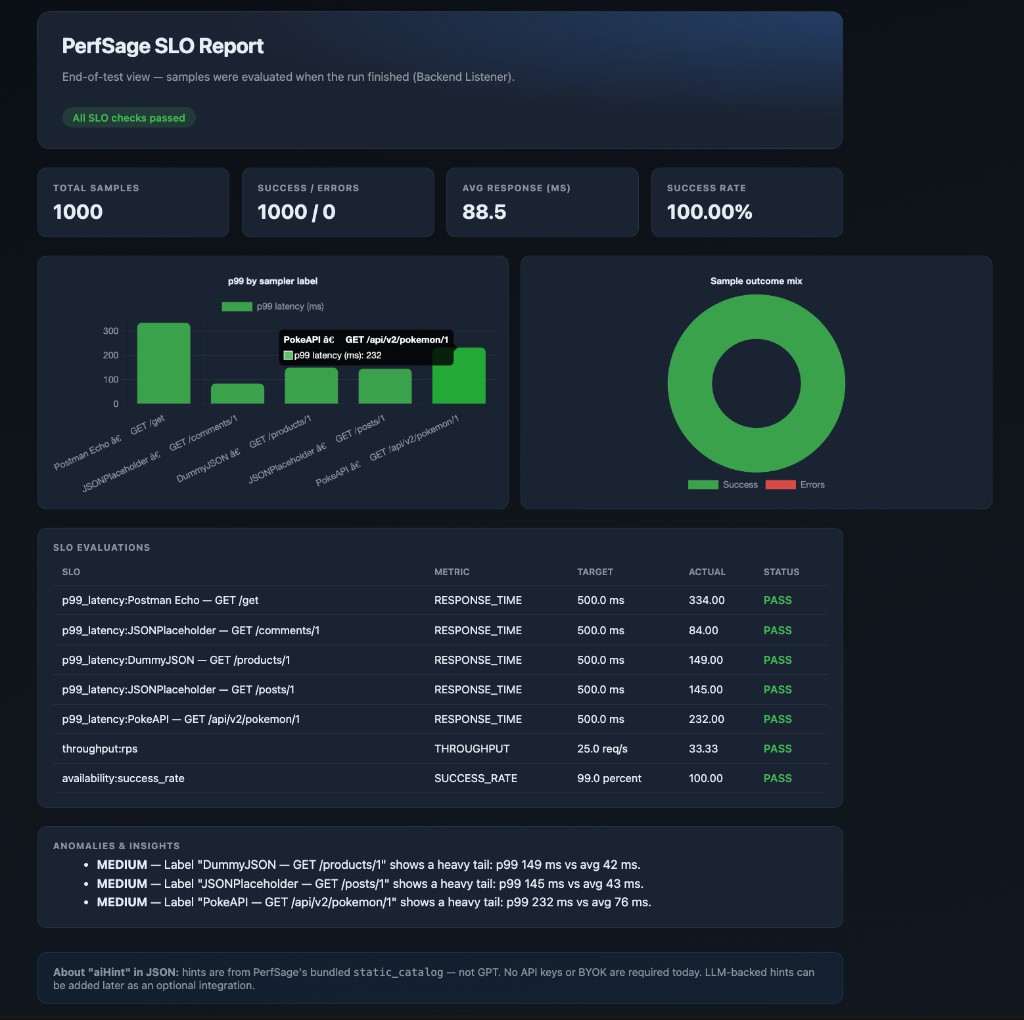
A JMeter plugin by PerfSage for SLO-based reporting and performance analysis.
PluginsManagerCMD.sh install perfsage-slo-reporterWindows: PluginsManagerCMD.bat install perfsage-slo-reporter
1
-1
10 weeks of data • Least active weeks ≤ 1 · Peak weeks up to 2
Initial public release
Install PerfSage SLO Reporter via the JMeter Plugins Manager GUI (Options > Plugins Manager, search "PerfSage SLO Reporter"), or from the command line using PluginsManagerCMD.sh install perfsage-slo-reporter (PluginsManagerCMD.bat install perfsage-slo-reporter on Windows).
Yes, PerfSage SLO Reporter is free to install and use via the official JMeter Plugins registry.
PerfSage SLO Reporter is compatible with modern Apache JMeter 5.x releases via the JMeter Plugins Manager. Check the repository for version-specific notes.
PerfSage SLO Reporter is indexed in the official JMeter Plugins registry. Check the linked repository for the latest commit and release history.
PerfSage SLO Reporter (plugin ID: perfsage-slo-reporter) is maintained by perfsage.com.
Compare 6 other JMeter listeners plugins side by side.
Are you the author? Show off your plugin's listing on PerfAtlas by pasting this markdown badge in your README.md.