AI assistant and autonomous agent for Apache JMeter. Chat with Claude, OpenAI, Google Gemini, DeepSeek, Grok, Meta Muse, AWS Bedrock, Ollama or Apple on-device models, or sign in with your ChatGPT/Codex or Claude Code account, without leaving the JMeter GUI.<ul><li><b>Agent Mode</b>: describe a load test in plain English and the agent builds and edits the test plan for you with 21 JMeter tools, from Thread Groups and samplers to assertions and listeners.</li><li><b>Extract this</b>: highlight a value in View Results Tree and get JSON, CSS selector, regex or boundary extractors that are verified against the real response. Correlation without guesswork, and it works without an API key.</li><li><b>Context-aware commands</b>: @this, @testplan, @optimize, @lint, @sla and @wrap review and tune the plan you have open.</li><li><b>JSR223 refactoring</b>: right-click a Groovy script to refactor, format or add functions.</li><li><b>AI CLI terminal</b>: run Claude Code, OpenAI Codex, OpenCode or Grok CLI in a JMeter tab.</li><li><b>MCP server</b>: let Claude Code, Cursor, Codex or any MCP client read, edit, run and analyze the open test plan.</li><li>Attach jmeter.log or JTL results for error and percentile analysis, record browser flows, and export conversations to Markdown or HTML.</li></ul>Requires Java 17 or later. Ollama and Apple on-device need no API key; for the other providers, add a key to user.properties using the quick-start file in the documentation.
README Config Element
By QAInsights.com • Configs • ID: readme-config-element
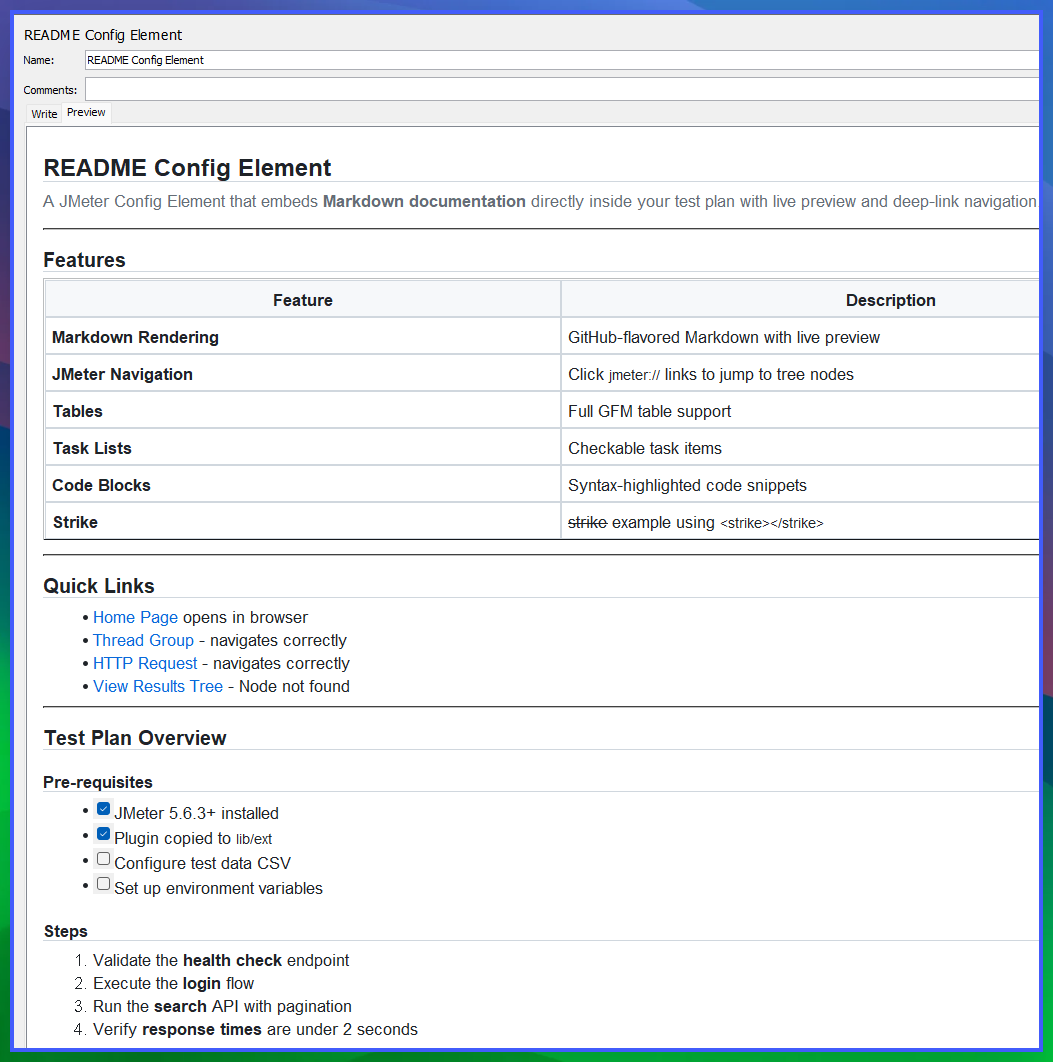
A JMeter config element that lets you embed Markdown documentation directly inside your test plan with a live GitHub-style preview and deep-link navigation to tree nodes.
Install via JMeter Plugins Manager CLI
Open in CLI Builder →PluginsManagerCMD.sh install readme-config-elementWindows: PluginsManagerCMD.bat install readme-config-element
Total Downloads
12
Downloads This Week
0
Usage History
Weekly Download Intensity
28 weeks of data • Least active weeks ≤ 8 · Peak weeks up to 22
Component Classes
Release History (2)
- v0.1.0 Latest
NEW: Create CLAUDE.md and AGENTS.md; Word Wrap and more.
- v0.0.1
NEW: README Config Element for documentation. Dark mode support. JMeter Deep link.
Frequently Asked Questions
How do I install README Config Element in JMeter?
Install README Config Element via the JMeter Plugins Manager GUI (Options > Plugins Manager, search "README Config Element"), or from the command line using PluginsManagerCMD.sh install readme-config-element (PluginsManagerCMD.bat install readme-config-element on Windows).
Is README Config Element free and open source?
Yes, README Config Element is free to install and use via the official JMeter Plugins registry.
Which Apache JMeter versions support README Config Element?
README Config Element is compatible with modern Apache JMeter 5.x releases via the JMeter Plugins Manager. Check the repository for version-specific notes.
Is README Config Element still actively maintained?
README Config Element is indexed in the official JMeter Plugins registry. Check the linked repository for the latest commit and release history.
Who maintains README Config Element?
README Config Element (plugin ID: readme-config-element) is maintained by QAInsights.com.
Looking for alternatives to README Config Element?
Compare 6 other JMeter configs plugins side by side.
Embed on GitHub
Are you the author? Show off your plugin's listing on PerfAtlas by pasting this markdown badge in your README.md.