Smart Variable Tracker Navigator
By KARTHIC S V • Others • ID: smart-variable-tracker-navigator
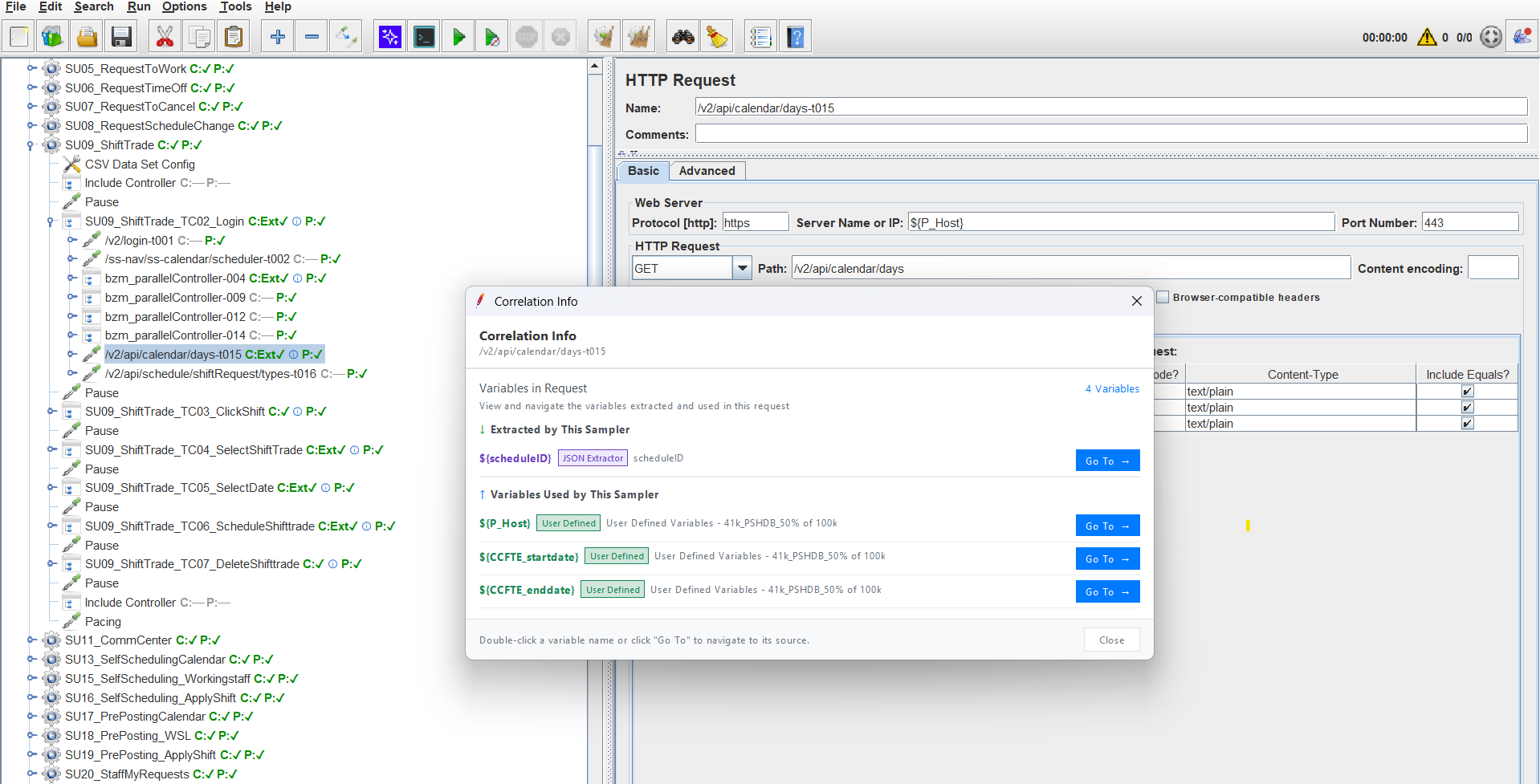
A JMeter GUI plugin for navigating variable extraction and usage across a JMeter test plan. Navigate instantly from variable usage to source extractors and vice versa. Track all variables including underscore-prefixed names and JSR223 script variables.
Install via JMeter Plugins Manager CLI
Open in CLI Builder →PluginsManagerCMD.sh install smart-variable-tracker-navigatorWindows: PluginsManagerCMD.bat install smart-variable-tracker-navigator
Total Downloads
24
Downloads This Week
+10
Usage History
Weekly Download Intensity
12 weeks of data • Least active weeks ≤ 14 · Peak weeks up to 41
Release History (1)
- v1.0.0 Latest
No release notes provided.
Frequently Asked Questions
How do I install Smart Variable Tracker Navigator in JMeter?
Install Smart Variable Tracker Navigator via the JMeter Plugins Manager GUI (Options > Plugins Manager, search "Smart Variable Tracker Navigator"), or from the command line using PluginsManagerCMD.sh install smart-variable-tracker-navigator (PluginsManagerCMD.bat install smart-variable-tracker-navigator on Windows).
Is Smart Variable Tracker Navigator free and open source?
Yes, Smart Variable Tracker Navigator is free to install and use via the official JMeter Plugins registry.
Which Apache JMeter versions support Smart Variable Tracker Navigator?
Smart Variable Tracker Navigator is compatible with modern Apache JMeter 5.x releases via the JMeter Plugins Manager. Check the repository for version-specific notes.
Is Smart Variable Tracker Navigator still actively maintained?
Smart Variable Tracker Navigator is indexed in the official JMeter Plugins registry. Check the linked repository for the latest commit and release history.
Who maintains Smart Variable Tracker Navigator?
Smart Variable Tracker Navigator (plugin ID: smart-variable-tracker-navigator) is maintained by KARTHIC S V.
Embed on GitHub
Are you the author? Show off your plugin's listing on PerfAtlas by pasting this markdown badge in your README.md.